
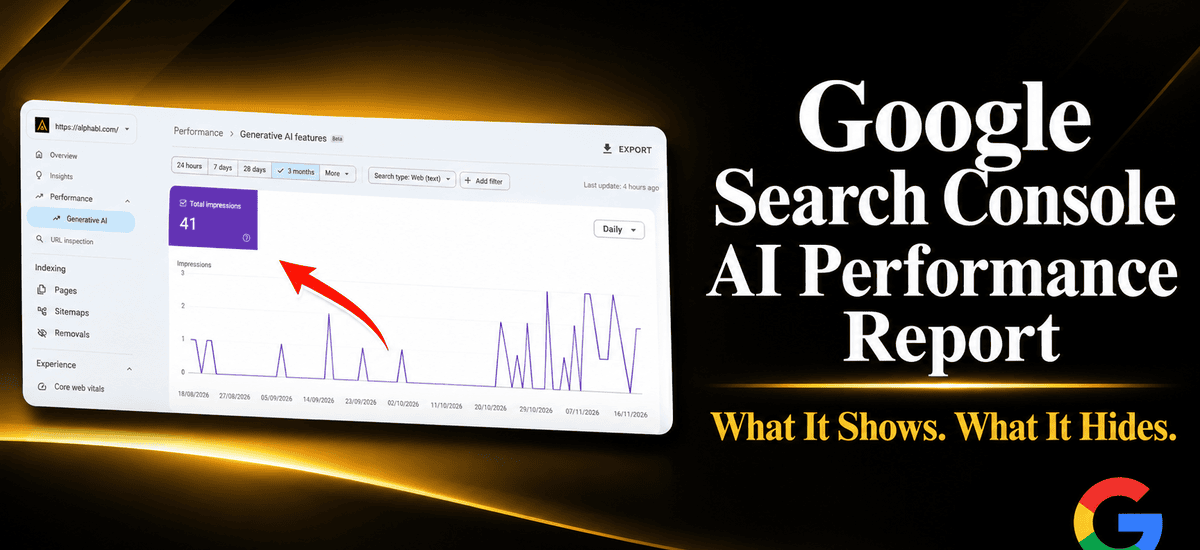
The Google Search Console AI performance report finally shows how often your pages appear inside Google’s AI answers. It is a useful start, but it only tells half the story. You can see impressions, yet you cannot see clicks, queries, or which AI feature sent them.
This guide explains what the report tracks, what it leaves out, and how to use it without overreading the numbers. Every fact below comes from Google’s own documentation, so you can check it yourself.
Quick Answer: What Does the Google Search Console AI Performance Report Show?
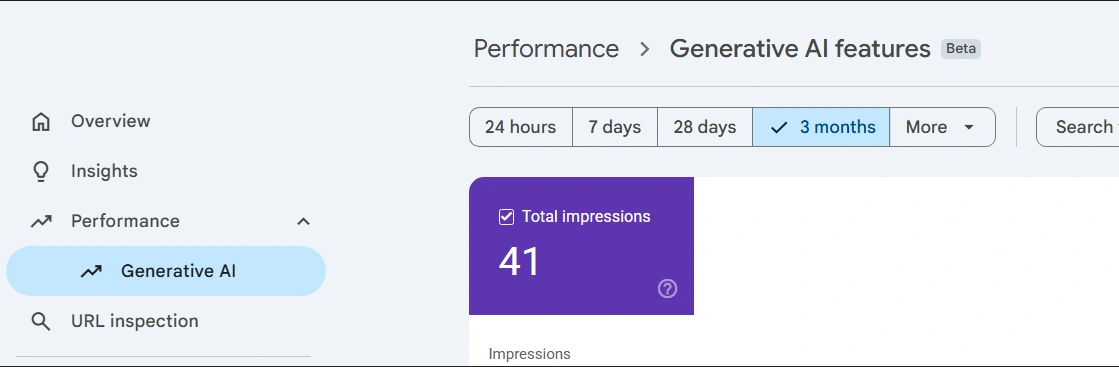
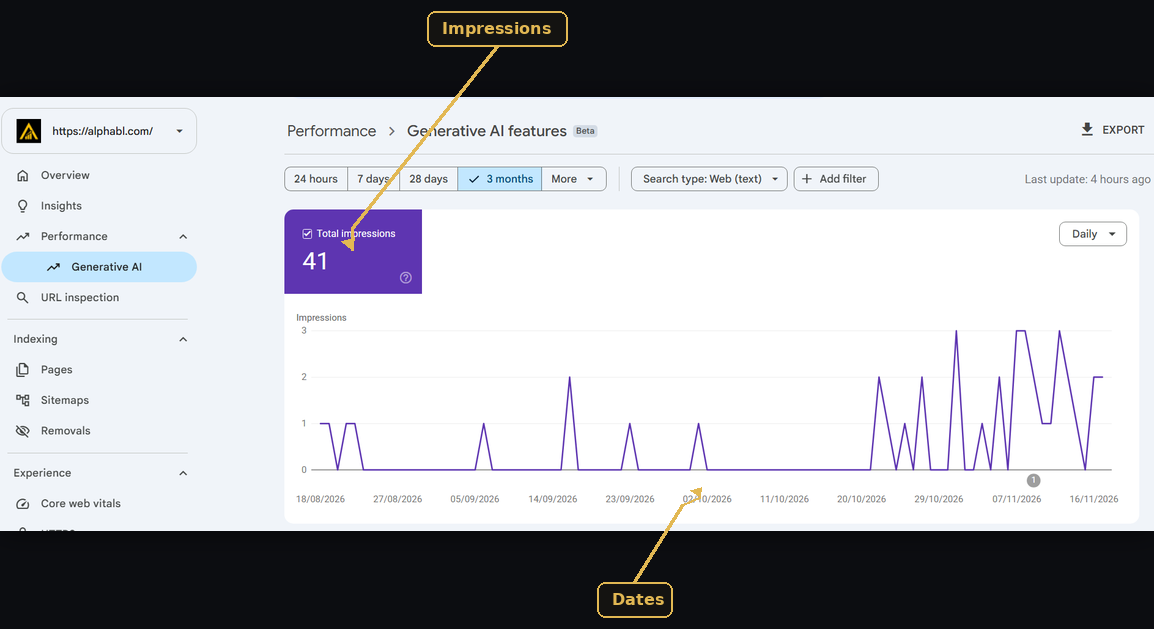
The report shows impressions. An impression means a link to your site was shown to a user inside a generative AI feature on Google Search.
You can split those impressions by page, country, device, and date. You cannot see clicks, click-through rate, or the search queries behind them.
For Search, the report covers AI Overviews and AI Mode together. Generative AI features in Discover have their own separate report.
Why Google Added the Generative AI Performance Report
Before this report, site owners had no clean way to separate AI visibility from normal search data. Many relied on manual searches and guesswork.
According to the Google Search Central Blog, Google announced the reports on June 3, 2026, as a phased release. Search Engine Journal reported that the rollout reached all websites worldwide at the end of August 2026.
This matters because AI answers change how people find content. A page can be shown inside an AI answer without ranking like a classic blue link. The new report makes that exposure visible for the first time.
What Data Does the Report Include?
The report is built around one metric and four dimensions. It is simple, and that is both its strength and its weakness.
Impressions
Google’s Search Console Help page describes impressions as the core measurement. Think of it as a visibility count, not a traffic count.
Pages, Countries, Devices, and Dates
The Pages dimension groups data by the final URL after redirects. Countries show where the search started. Devices split data into desktop, tablet, and mobile.
Dates group data by day, week, or month. All dates use Pacific Time, so a day in Pakistan may not line up exactly with the report.
Search Type Filter
You can also filter by search type. Web text-based covers normal typed searches. Multimodal covers image-led searches such as Google Lens and Circle to Search.
How to Open the Report in Search Console
Opening the report takes less than a minute. Follow these steps.
- Sign in to Search Console with an account that has access to your property.
- Open the Performance section from the left menu.
- Select the Generative AI report for Search.
- Set a date range, such as the last 28 days.
- Switch to the Pages tab to see which URLs get AI impressions.
Not every property sees the report right away. A site may also lack the report if it has too few qualifying impressions or has opted out of generative AI features.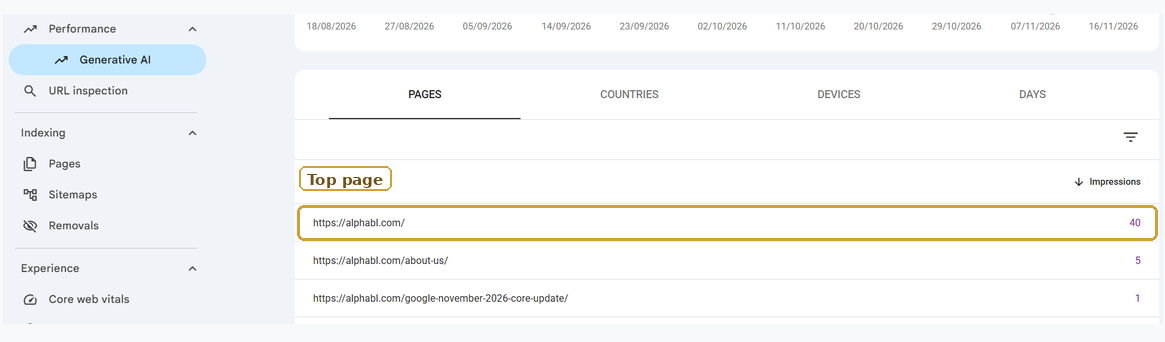
What the Google Search Console AI Performance Report Does Not Show
This is where most site owners get confused. The report looks complete, but several key answers are missing.
No Clicks and No Click-Through Rate
The dedicated report counts impressions only. You cannot work out an AI click-through rate from it. That makes it a visibility report, not a traffic report.
No Search Queries
The report has no Queries dimension. You may know a page got thousands of AI impressions. However, you will not know which questions triggered them.
This matters because one impression for a buying question is worth more than ten for a basic definition.
AI Overviews and AI Mode Are Combined
Both features sit in one Search report. Therefore, a sudden spike could come from either one, and the report cannot tell you which.
Other AI Tools Are Missing
The report covers Google only. It does not show whether ChatGPT, Perplexity, or Claude mention your brand. For that, you need separate prompt testing or a citation tracking tool.
The Double Counting Mistake to Avoid
Here is a mistake many marketers make. They add AI impressions to their normal Web impressions and report a bigger total.
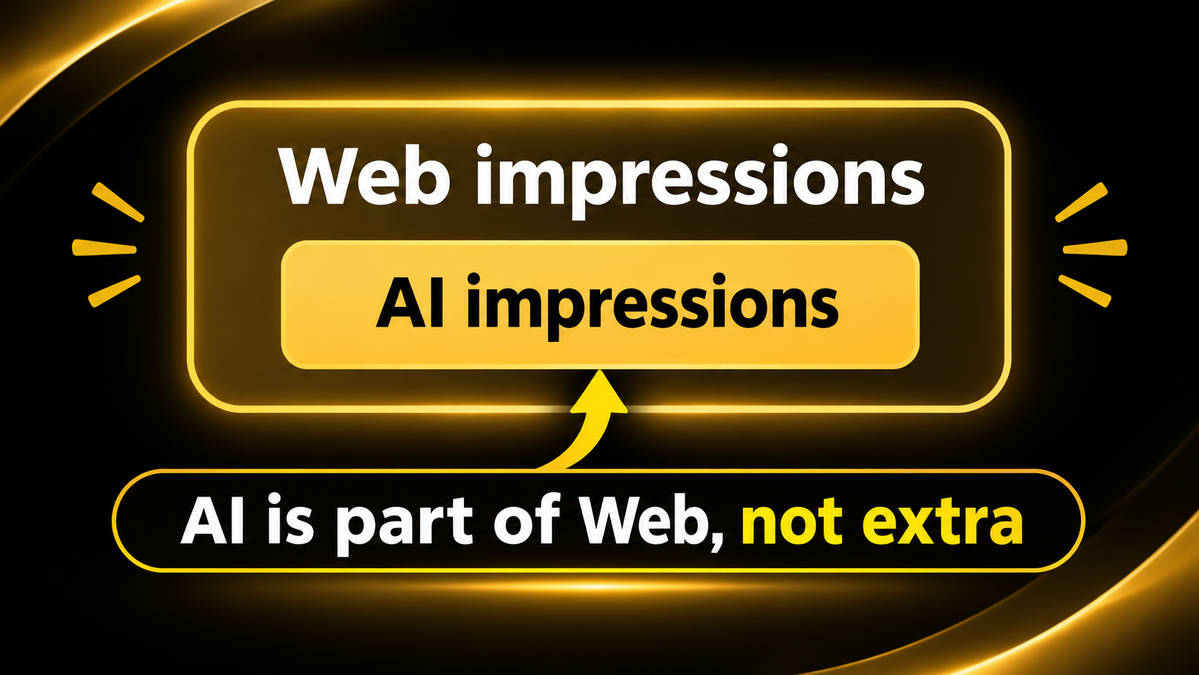
According to Google’s help documentation, the generative AI report uses data already included in the Web search type of the standard Performance report. For example, if you add the two numbers, you count the same visibility twice.
Instead, treat AI impressions as a slice of your Search data. You can compare the two to see what share of your visibility comes from AI features.
How to Use the AI Performance Report Each Month
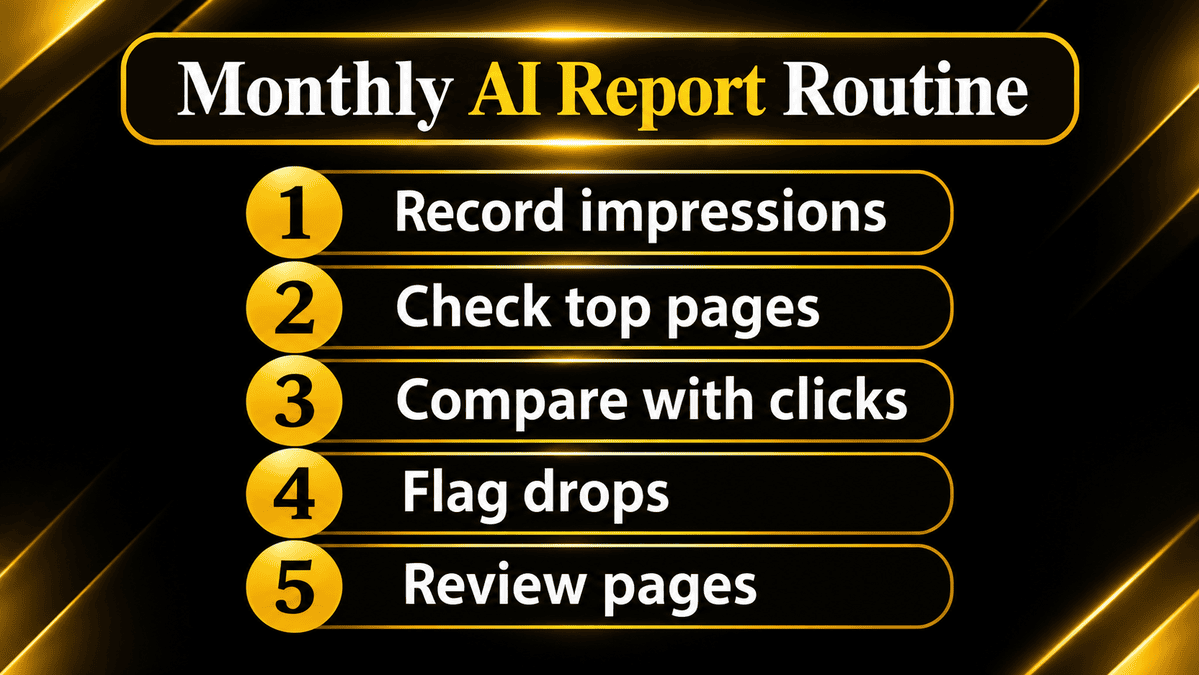
A simple routine works better than a complicated one. Moreover, a monthly check is enough for most websites, because one bad week proves very little.
Follow this process.
- Record your total AI impressions for the last full month.
- Open the Pages tab and note your top five pages.
- Compare those pages with their organic clicks in the standard Performance report.
- Flag pages where AI impressions rise but organic clicks fall.
- Review those pages for structure, clarity, and a clear next step for the reader.
Prioritize Service Pages Over Blog Posts
Segment your pages by type before drawing conclusions. A service page with rising AI impressions matters more than a blog post with the same trend. The service page is closer to a buying decision.
If you also track ranking drops, read our guide on the Google November 2026 core update to separate algorithm changes from AI effects.
Check Visibility Problems First
Sometimes the report shows nothing because the site has a deeper problem. If your pages are not indexed, they cannot appear in AI answers. Our guide on why your website is not showing on Google covers the common causes.
Should You Opt Out of Google’s Generative AI Features?
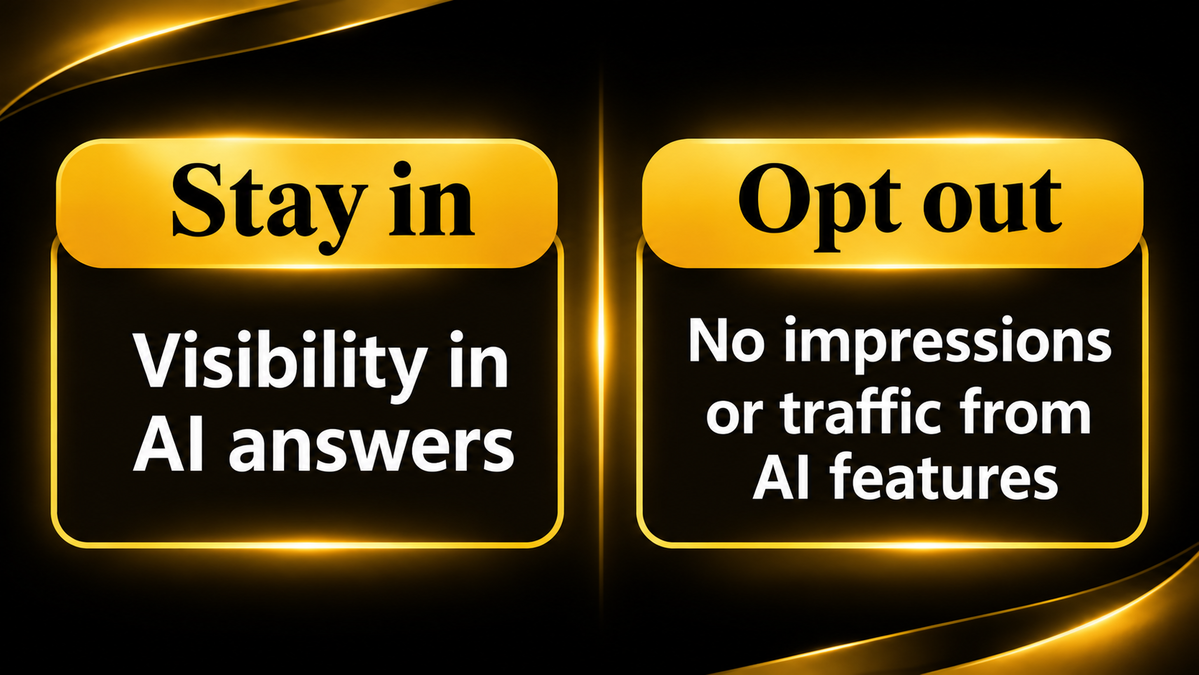
Google also added a property-level setting that lets a site block its content from generative AI features. Before you touch it, read the trade-off carefully.
Google states that sites that opt out will not receive impressions or traffic from these generative AI features. In other words, you give up that visibility completely. Google also says this control is not used as a ranking signal for results outside those features.
For most business websites, opting out is a poor choice. You lose exposure in a fast-growing part of search. Use the AI performance report first, and decide only after you see real data.
Opting out can make sense in rare cases. For example, a publisher whose paid content is being summarized may want that control. Even then, review the numbers before acting.
Smart Ways to Act on What the Report Shows
Data is only useful if it leads to action. Here are practical steps based on what you see.
When AI Impressions Rise but Clicks Fall
This is the most common pattern. Your page is visible, but readers get their answer inside the AI box. Therefore, add something the summary cannot give, such as a checklist, an original example, or a clear next step.
When a Page Has Zero AI Impressions
First, confirm the page is indexed and crawlable. Next, check that the answer appears in clear text near the top. Google says no special AI markup is needed, so strong basics matter most.
When Mobile Dominates the Data
If most AI impressions come from mobile, test those pages on a phone. Slow loading and cluttered layouts hurt the experience, even when visibility is high.
Need Help Reading Your AI Search Data? Talk to AlphaBL
Reading the report is easy. Turning it into a plan is harder. Our expert team helps businesses connect Search Console data with content, technical fixes, and local visibility.
If your business serves customers in Punjab, explore our SEO services in Lahore or work with an SEO expert in Sialkot. You can also visit the AlphaBL home page to see everything we offer.
Final Thoughts
The Google Search Console AI performance report is a solid first step, not a full measurement system. It proves that Google shows your pages inside AI answers. It cannot prove that those impressions bring visitors or leads.
So, use it as one trend line among several. Pair it with your standard Performance report, your analytics, and manual checks. Above all, avoid adding AI impressions to Web impressions.
Ready to understand what your Search Console data really means? Contact our team today by call, WhatsApp, or the contact page, and get a clear action plan.
Frequently Asked Questions
What is the Google Search Console AI performance report?
It is a dedicated Search Console view that shows how often links to your site appear inside generative AI features. For Search, that means AI Overviews and AI Mode.
Does the AI performance report show clicks?
No. The dedicated report shows impressions only. It has no AI click metric and no click-through rate, so you need your standard Performance report and analytics for traffic.
Can I see which queries trigger my AI impressions?
No. Google provides page, country, device, and date dimensions, but no Queries dimension in this report. Manual testing of your target questions can fill part of the gap.
Are AI Overviews and AI Mode shown separately?
No. The Search report combines both features, so you cannot tell which one caused a change. Generative AI features in Discover have their own separate report.
Should I add AI impressions to my normal Search impressions?
No. The data already sits inside the Web search type of the standard Performance report. Adding both numbers would count the same visibility twice.
Does Search Console track ChatGPT or Perplexity visibility?
No. The report covers Google’s generative AI features only. Visibility in other AI tools needs separate monitoring, such as manual prompt tests or a citation tracking tool.

Habib Ur Rehman is the Founder and CEO of Alpha BL, specializing in Digital Marketing and SEO.